
RAM Speed vs Latency: Which Impacts Performance More?
Want to calculate real DDR5 RAM read/write speed & bandwidth?
DDR5 RAM Speed & Bandwidth CalculatorPeople often debate RAM speed vs latency, but the reality is simple: both matter, just in different ways. RAM speed (frequency) controls how fast data is transferred. Higher speeds increase bandwidth, helping games and applications load and process data faster. Latency (CAS) measures the delay before data transfer begins. Lower latency improves responsiveness, which is useful for tasks like video editing and rendering.
For gaming, higher RAM frequency usually delivers better performance because it directly affects frame delivery. If you want to understand how frame rates impact your gameplay experience, read our detailed guide on What is FPS and why it matters for gaming performance.
The ideal balance is around 6000MT/s CL30, offering strong speed with stable latency. Extremely high frequencies can cause instability or extra heat, especially on budget motherboards.
So, what matters more: RAM speed or latency? For most users, RAM speed matters more. However, if video editing and rendering are your priority, latency should not be ignored. Choose RAM based on real-world usage, not just numbers.
Understanding RAM Speed vs Latency: Real Impact on Performance
Have you ever noticed how RAM speed affects gaming and everyday PC performance? RAM frequency, measured in MT/s (megatransfers per second), defines how quickly data moves between the CPU and memory. Higher frequency means greater bandwidth, which results in a faster and more responsive system.
For most users, DDR4 RAM performs best between 3000–3600MT/s, while DDR5 delivers optimal results around 6000–6400MT/s. Pushing RAM speeds beyond this range often shows very small real-world gains. Although 8000MT/s sounds impressive, many CPUs and motherboards simply can’t take full advantage of it.
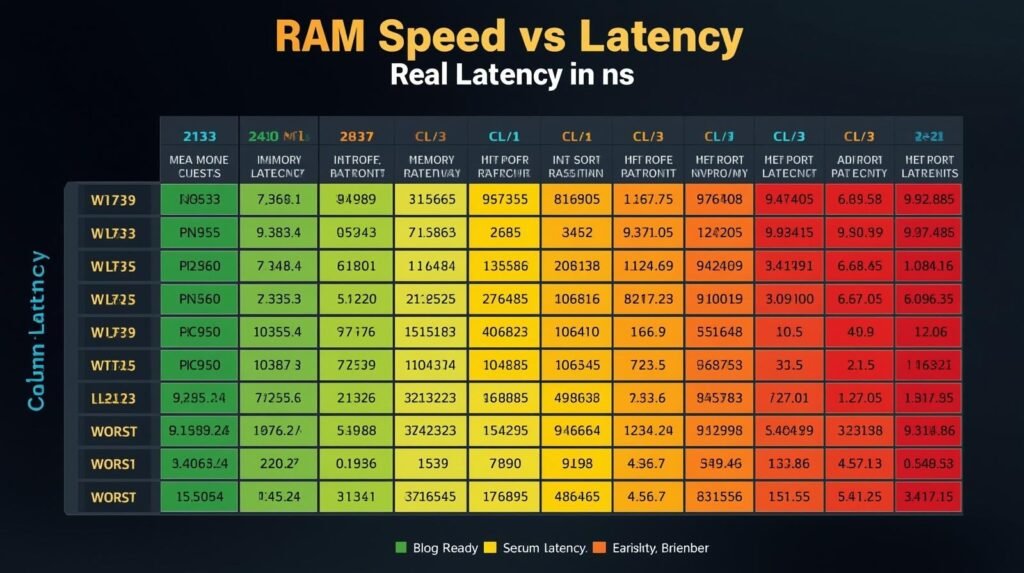
Faster RAM improves overall responsiveness, reduces game loading times, and helps the CPU process large data sets more efficiently. However, extremely high frequencies can lead to stability issues and diminishing performance returns if your hardware isn’t designed for them.
RAM Speed vs Latency
The ideal RAM frequency depends on your system configuration. For DDR4, 3600MT/s is the sweet spot. For DDR5 RAM for gaming, 6000MT/s offers the best balance of speed and stability. Anything higher may look good on paper, but it rarely makes a noticeable difference in real performance.
What Is RAM Latency & When Does It Matter?
Most people focus only on RAM speed, but RAM latency plays an important role too. Latency is the delay between when your CPU requests data and when your RAM actually starts delivering it. The lower the latency, the faster your system gets that first chunk of data.
The most common latency value you’ll see is CAS Latency (CL). It represents how many clock cycles the RAM waits before responding. For example, CL30 means the memory takes 30 cycles to begin data transfer. You can easily check your RAM latency using CPU-Z under the Memory tab.
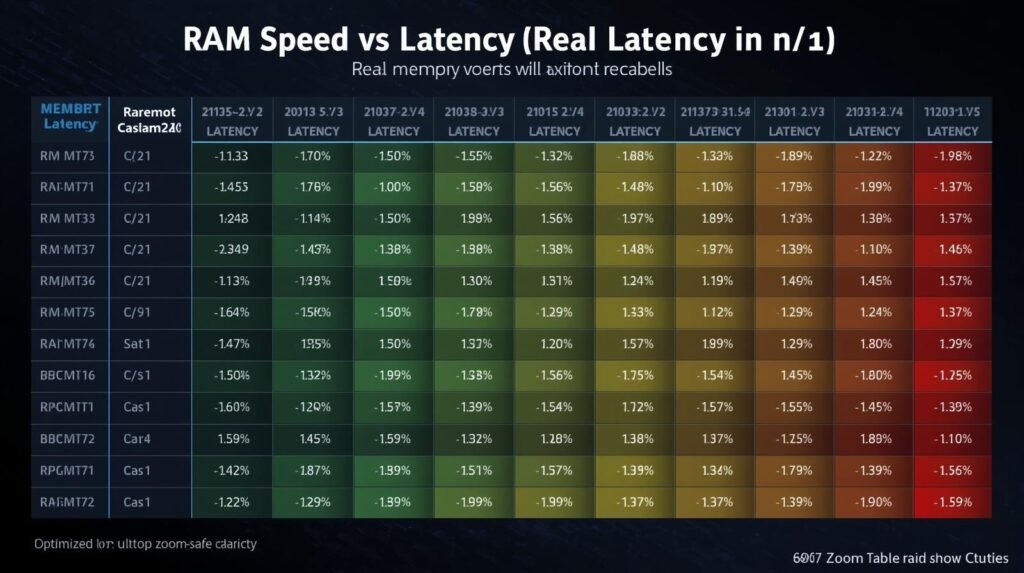
Here’s the simple formula to calculate real memory latency in nanoseconds:
Latency (ns) = (CL × 2000) ÷ Data Rate
Using this formula, 6000MT/s CL30 results in roughly 10ns, while 6000MT/s CL36 jumps to around 12ns. Since lower latency means faster response, that’s why 6000MT/s CL30 often feels quicker than 6400MT/s CL40, even with a lower frequency.
For gaming FPS, latency usually has a smaller impact compared to RAM frequency. However, in tasks like video editing, rendering and streaming, lower RAM latency can improve smoothness, reduce stutter, and speed up previews.
What Is RAM Latency & When Does It Matter?
In short, RAM latency matters most when you want a balanced and responsive system. If gaming is your main focus, prioritize RAM speed. But if you edit videos, render content, or stream, keeping an eye on both frequency and latency will give you the best results.
RAM Frequency vs Latency: Real Benchmark Results Explained
To find out what really matters more RAM frequency or latency I ran real-world benchmarks using CPU-Z, Geekbench, and AIDA64 Extreme. The tests were performed on three popular DDR5 RAM kits to keep the comparison fair and practical:
- DDR5-4800 CL40
- DDR5-6400 CL40
- DDR5-6400 CL32
Benchmark Results
| RAM Kit | AIDA64 Read (MB/s) | AIDA64 Write (MB/s) | Latency (ns) | Geekbench Multi | CPU-Z Single |
|---|---|---|---|---|---|
| 4800 CL40 | 74,500 | 69,300 | 82 | 16,800 | 693 |
| 6400 CL40 | 102,300 | 98,200 | 70 | 18,100 | 711 |
| 6400 CL32 | 102,500 | 98,500 | 61 | 18,500 | 713 |
What Do These Results Mean?
Moving from 4800MT/s to 6400MT/s delivered a massive 37–40% increase in memory read and write speeds, according to AIDA64 Extreme. That’s a clear sign that RAM frequency has a major impact on bandwidth and overall system performance.
On the other hand, reducing CAS latency from CL40 to CL32 at the same 6400MT/s speed only lowered latency by about 9 nanoseconds and resulted in roughly a 2% boost in synthetic benchmark scores. The improvement is real, but much smaller compared to the jump in frequency.
In Geekbench multi-core tests, higher RAM frequency scaled better than lower latency. CPU-Z single-core performance showed almost no difference between CL40 and CL32, proving that latency has minimal impact in single-threaded workloads.
RAM Frequency & Timing Explained Simply
When you buy RAM, you often see labels like 6000MT/s CL30 or 3200MHz CL16. But what do these numbers actually mean? Understanding RAM frequency and timing helps you choose the best kit for better performance.
Frequency
RAM frequency is shown in MHz or MT/s and tells you how fast data moves between the RAM and CPU. Higher frequency means more bandwidth and faster data transfer.
For example, 3200MT/s is slower than 6000MT/s, so the 6000MT/s kit can transfer more data per second.
Timing
RAM timing shows the delay before data starts moving. It’s measured in clock cycles. Lower timing means faster response.
The first number in RAM timing is CAS Latency (CL), but there are more timing values too.
Main RAM Timing Values
Here are the four most important ones:
- CAS Latency (CL): Time before data starts moving
- tRCD: Delay between row activation and data reading
- tRP: Time needed to switch between rows
- tRAS: Minimum time a row stays open for data access
So what matters most?
RAM frequency and latency work together. Higher frequency increases bandwidth, while lower timings reduce delay. A balanced kit like 6000MT/s CL30 gives strong performance without needing extreme overclocking.
Tip: You can check these specs in BIOS under XMP profiles or use tools like CPU-Z to verify details. Both frequency and timing matter don’t focus on just one.
How RAM Timing and Frequency Impact Gaming Performance
In gaming, both RAM frequency and timing matter, but frequency usually has a bigger effect. Higher MHz increases bandwidth, helping games load textures and assets faster. Latency still affects performance, but the impact is smaller. Lowering CAS latency by a few cycles rarely boosts FPS unless you also use fast memory.
The best gaming RAM strikes a balance. A kit like 6000MT/s CL30 is ideal for most gamers. Higher frequency helps more in fast-paced gaming and high refresh rates (144Hz+). Lower timings alone won’t make a noticeable difference unless you’re playing CPU-heavy or competitive games.
Does Higher RAM Frequency Boost Gaming FPS?
Yes, faster RAM can increase FPS, but the improvement depends on the game. Higher RAM frequency speeds up data transfer, reducing CPU waiting time and improving performance.
For example, moving from 2400MHz to 3200MHz can boost FPS by around 5–10% in demanding games like Cyberpunk 2077 or Red Dead Redemption 2. Want to see how much performance boost you can actually get? Use our FPS Calculator to estimate your expected frame rates based on your hardware. CPU-heavy titles like CS:GO or Valorant can show even bigger gains.
For DDR5, the best range for most gamers is 6000–6400MT/s. It offers excellent bandwidth without stability issues. Going higher often gives smaller gains and becomes expensive.
Remember: FPS gains also depend on resolution and game engine. Lower resolutions and high refresh rates (144Hz+) benefit more. Integrated graphics (like Ryzen APUs) get a major boost from faster RAM.
So if you’re upgrading, choose a balanced RAM kit and make sure your CPU and motherboard support it. Faster RAM helps, but it’s not a magic fix.
How Lower RAM Timing Affects Gaming FPS
Lower RAM timings can improve performance, but the impact is smaller than increasing frequency. Tighter timings reduce delay before data moves, making your system feel more responsive, but FPS gains are usually minor.
For example, at 3200 MHz, switching from CL16 to CL14 may only boost FPS by about 3% in demanding games like Cyberpunk 2077. In competitive games like CS:GO or Valorant, you may notice slightly better responsiveness because input lag decreases a bit.
If your RAM is already fast, tightening timings can add a small extra boost. But focusing on timings first won’t change much for most gamers.
Bottom line: Lower RAM timings are worth it only if you want every extra frame and your system is stable.
Best Balance Between RAM Speed and Timing for Gaming
The key is price-to-performance. Upgrading from 2400MHz to 3200MHz can improve FPS by 5–10% in some games. But moving from 3200MHz to 4000MHz usually gives only 2–3% more, while the cost can double. That’s classic diminishing returns.
Also, remember that CPU and GPU matter more than RAM for gaming. Faster RAM won’t fix a weak processor or a mid-range graphics card. RAM is only the finishing touch that helps your system feel smoother.
If you want a solid RAM upgrade without overspending, choose a balanced kit. A good sweet spot is 3200–3600MHz with CL16 or lower. This combo delivers strong gaming performance without the high price of ultra-fast memory.
For stability, stick to your motherboard’s QVL list and always use dual-channel memory for the best bandwidth. Most gamers don’t need extreme RAM speeds. A balanced kit like 3200MHz CL16 (or DDR5 6000MT/s CL30 for newer systems) is the best choice.
Bottom line: Keep your build balanced. Don’t spend heavily on RAM and expect it to make a slow CPU or low-end GPU suddenly perform like a high-end system. Focus on the whole setup, not just memory numbers.
CPU and Motherboard Impact on RAM Frequency and Latency Benefits
RAM speed doesn’t work alone. Even if your memory supports high frequencies, your CPU’s memory controller and motherboard support determine the real performance you’ll get.
Every CPU has a memory controller that limits supported RAM speeds. For example, many Intel 12th Gen CPUs officially support DDR5-5600. If you buy a 6400MT/s kit, it won’t reach that speed without manual tuning or overclocking. On the AMD side, older Ryzen 3000 and 5000 CPUs benefit more from faster RAM because of the Infinity Fabric design. With these chips, matching RAM speed to the fabric clock can improve latency and responsiveness.
Your motherboard matters just as much. Budget boards often limit RAM overclocking and struggle to keep high-speed kits stable. Many boards also lack support for XMP or EXPO profiles, which are needed to run RAM at advertised speeds. Without enabling these profiles in BIOS, your RAM will run at default JEDEC speeds.
BIOS updates can also improve memory stability, especially on newer platforms like AM5. Always check your motherboard’s QVL (Qualified Vendor List) to avoid compatibility issues.
Bottom line: Fast RAM is useless if your CPU and motherboard can’t support it. Match your memory choice to your hardware limits to get real gains in both frequency and latency.
Real-World Performance: Frequency vs Latency Benchmarks
So, which matters more for real performance RAM frequency or latency? We tested three DDR5 kits to find out:
| Configuration | Cyberpunk 2077 FPS | RDR2 FPS | AIDA64 Read (MB/s) | Latency (ns) | Blender Render (sec) |
|---|---|---|---|---|---|
| 4800MT/s CL40 | 101 | 89 | 74,500 | 82 | 127 |
| 6400MT/s CL40 | 110 | 95 | 102,300 | 70 | 121 |
| 6400MT/s CL32 | 112 | 96 | 102,500 | 61 | 119 |
What do these numbers mean?
Upgrading from 4800MT/s to 6400MT/s boosted AIDA64 read speed by 37% and improved Cyberpunk 2077 FPS by about 9 frames. Tightening latency from CL40 to CL32 added only 2 FPS and reduced render time slightly.
In real-world use, frequency wins for bandwidth and gaming FPS, while lower latency improves responsiveness and multitasking but gives smaller gains compared to a major frequency upgrade.
The FPS difference is most noticeable at high refresh rates and in CPU-heavy games. For content creators, both frequency and latency matter lower latency can shave time off exports, but bandwidth still has the bigger impact.
Bottom line: If you must choose one, frequency delivers the most noticeable performance boost. Latency tuning is for enthusiasts who want every last bit of speed.
Conclusion
After all the tests and real-world comparisons, the answer is clear: RAM speed and latency both matter, but frequency usually makes the biggest difference especially for gaming.
If you’re building a gaming PC, focus on RAM frequency first, because it improves bandwidth and reduces CPU waiting time. A balanced kit like 6000MT/s CL30 gives you strong performance without instability or overspending.
Latency matters too, but its impact is more noticeable in video editing, rendering, streaming, and multitasking. Lower latency can improve responsiveness and reduce stutter, but it rarely changes FPS dramatically.
The key takeaway is this:
Choose RAM based on real-world use, not marketing numbers.
Not sure whether your RAM is limiting your system? Try our Bottleneck Calculator to instantly check if your hardware is holding back performance. Fast RAM won’t fix a weak processor or graphics card. Choosing the best CPU and GPU combo for balanced performance is essential if you want to avoid hardware bottlenecks.
So, if you want the best performance without wasting money:
- For gaming: prioritize speed (6000–6400MT/s for DDR5 or 3200–3600MT/s for DDR4)
- For content creation: balance speed and latency
- For stability: follow your motherboard’s QVL and use dual-channel RAM
In the end, the best RAM is the one that fits your system and your needs not the fastest one on paper.